Install/Update R and R Studio
If you don’t have R and RStudio installed, follow Section 1. If you need to update R and RStudio, follow Section 2.
Install R and R Studio
Do this if you do not have R and RStudio installed yet.
Download and install R
- Visit the CRAN website.
- Click on the download link for your operating system in the top section “Download and Install R”.
- For Windows: Follow the link to “install R for the first time”.
- Download the R pkg/installer and run it, leaving the default options selected during the installation process.
Download and install RStudio
- Visit the Posit website.
- Click the “Download RStudio Desktop” button. The button should already specify your operating system (If not, you can scroll down on the website and select the installer for your respective system).
- Download the installer and run it, following the instructions.
Test the installation
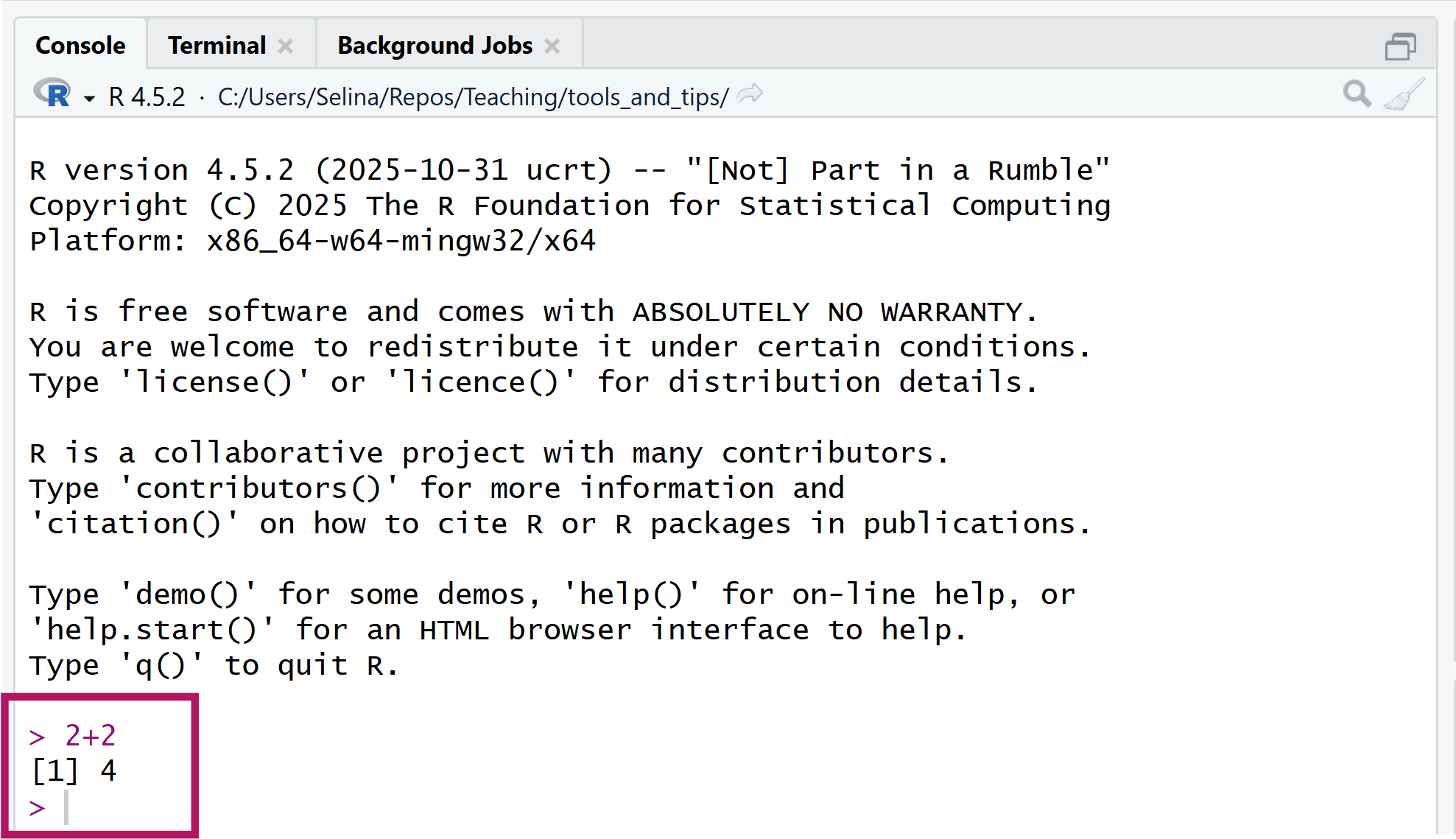
If both R and RStudio are installed, open RStudio. When you open up RStudio for the first time, it will prompt you to select your installation of R. By default, this should be the newest version of R that you just installed. After RStudio is opened, check the console (the window on the bottom left where your cursor is and where you can see a > sign) and try to type a calculation (e.g. 2 + 2) and hit Enter to execute it. If R is installed correctly, you should see the result of your calculation printed to the console.
Update R and R Studio
Do this only if you already have R and RStudio installed prior to the workshop.
Update RStudio
Open RStudio and go to “Help -> Check for Updates” on top. RStudio will tell you, if there is a newer version available or not. If you already use the most current version, you are all set for the workshop. If not, follow the instructions that RStudio gives you and update your version of RStudio.
Update R
- Open RStudio and check the version number in the console pane (bottom left, see pink highlights in the screen shot).
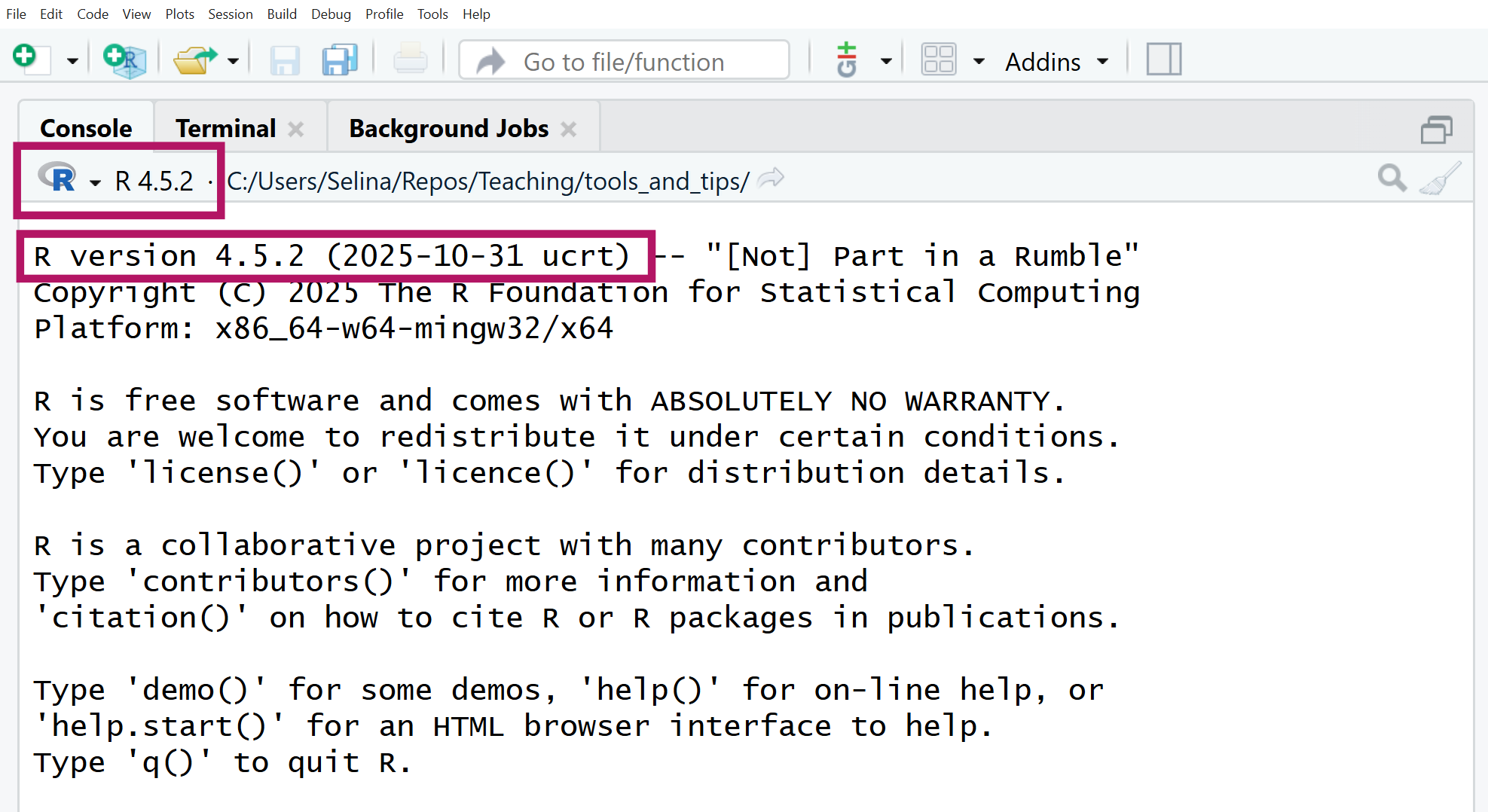
Check if your version number is up to date. If your R version is lower than 4.5.1, please update the version.
- Download and install the latest version of R (see Step 1 for instructions).
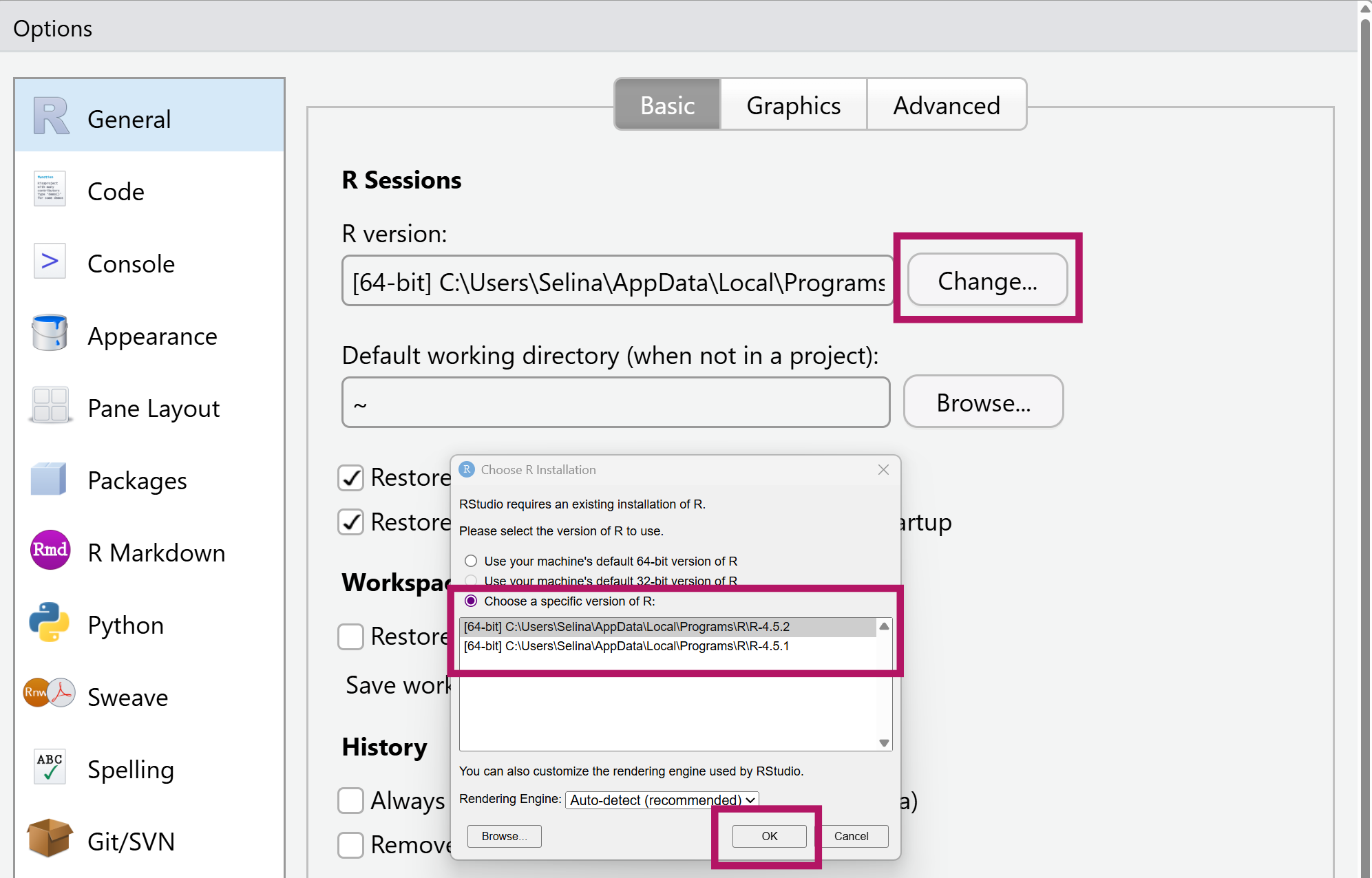
- In RStudio, go to “Tools -> Global Options -> General” and click “Change R version”.
- Select the newest installed version of R.
- Restart RStudio and verify the updated version in the console.